In Short
- Databricks and Dataiku fit teams that run models on large data and need shared, governed workspaces.
- Alteryx, KNIME and Altair AI Studio give analysts visual workflows for data prep and modeling without much code.
- DataRobot and H2O.ai speed up model building with AutoML, and SAS Viya and IBM SPSS lead on classic statistics.
- Choose by your team's skills and one real use case, then run a short trial with your own data.
The Best Advanced Analytics Tools at a Glance
| Tool | Type | Best for |
|---|---|---|
| 1. Databricks | Lakehouse and ML platform | Teams that run ML on large data in one platform |
| 2. Dataiku | Collaborative data science platform | Mixed teams of analysts and data scientists |
| 3. Alteryx | Code-free analytics automation | Analysts who want to prepare data and build models without code |
| 4. KNIME | Open-source visual analytics | Budget-conscious teams that want visual workflows without license fees |
| 5. DataRobot | Automated machine learning platform | Teams that want governed AutoML with monitoring |
| 6. SAS Viya | Enterprise analytics and AI platform | Regulated enterprises with deep statistics needs |
| 7. IBM SPSS Statistics | Statistical analysis software | Analysts and researchers who need classic statistics with a point-and-click interface |
| 8. H2O.ai | Open-source and AutoML platform | Data science teams that want open-source ML with an AutoML option |
| 9. Altair AI Studio | Visual data science studio (formerly RapidMiner) | Analysts and students who want visual ML with Python and R options |
The 9 Best Advanced Analytics Tools, Ranked
I start with the platforms that suit the widest range of data science work and move toward specialist and statistics tools, so you can stop reading once you find your fit. In the advanced analytics consulting projects I review, the choice of tool matters less than the choice of use case, which I rank in my guide to advanced analytics use cases.
Databricks
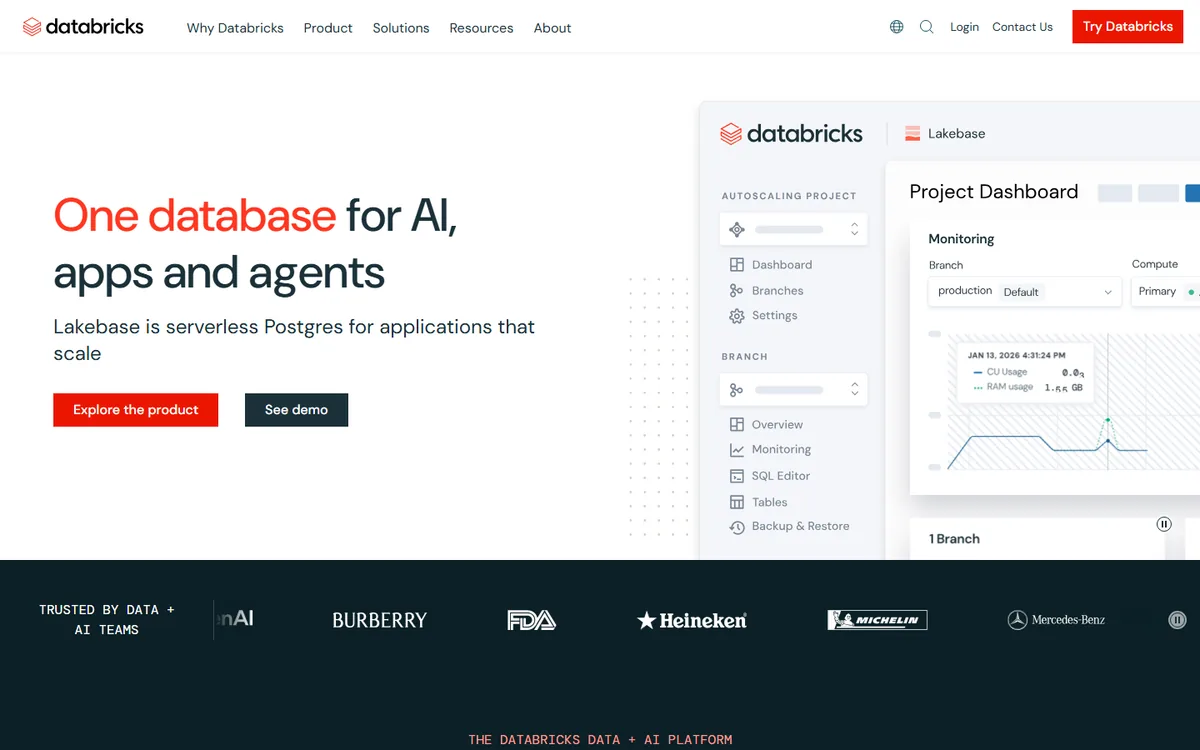
The Strongest Choice When Your Models Need Large Data, Notebooks and Production Pipelines in One Place
Databricks combines a data lakehouse, notebooks, MLflow model tracking and managed model serving in one platform.
Databricks is where I see engineering-heavy teams land once their data outgrows a single database. Data engineers, analysts and data scientists share the same tables, and models move from a notebook to a scheduled job without leaving the platform. MLflow tracking and the model registry keep experiments and versions in order, which matters the day someone asks why a score changed.
The catch is that the platform assumes technical skill. A team with two analysts and no engineer will spend more time on cluster settings than on analysis, and usage-based billing rewards people who watch their jobs. For clients with real volume, such as event data from a SaaS product or years of retail transactions, it is a sound default.
Where Databricks Shines
- One platform for pipelines, notebooks and production models
- MLflow makes experiments and model versions easy to track
- Scales to very large data without a rebuild
Where Databricks Falls Short
- Needs engineering skill to set up and run well
- Usage-based costs can surprise teams that don't monitor jobs
Databricks Pricing
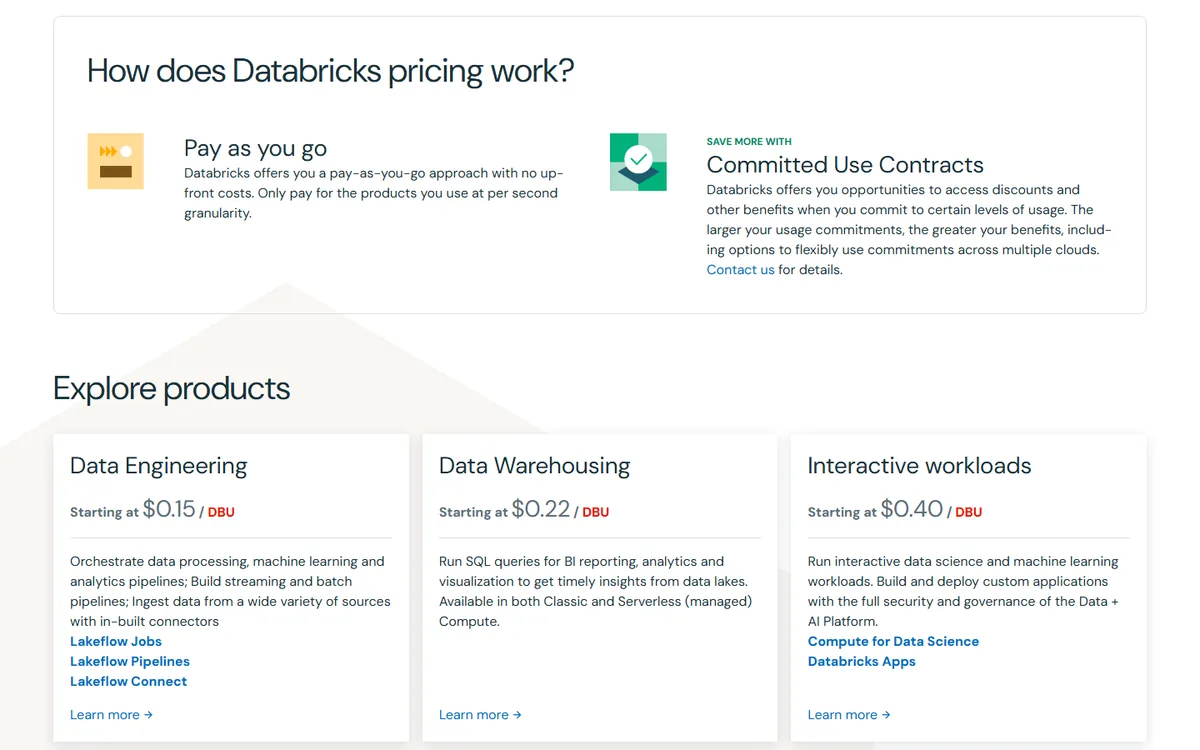
Databricks uses usage-based pricing. You pay for the compute you use, billed per second, with no upfront commitment on pay-as-you-go, and committed-use contracts lower the rates. The vendor offers a free trial and a free edition for learning, and your cloud provider bills storage and infrastructure separately. Per-unit rates are listed on the vendor's price list.
Databricks Reviews
- G2: rated 4.6/5 (across +1,400 ratings)
- Capterra: rated 4.5/5 (across +20 ratings)
Dataiku
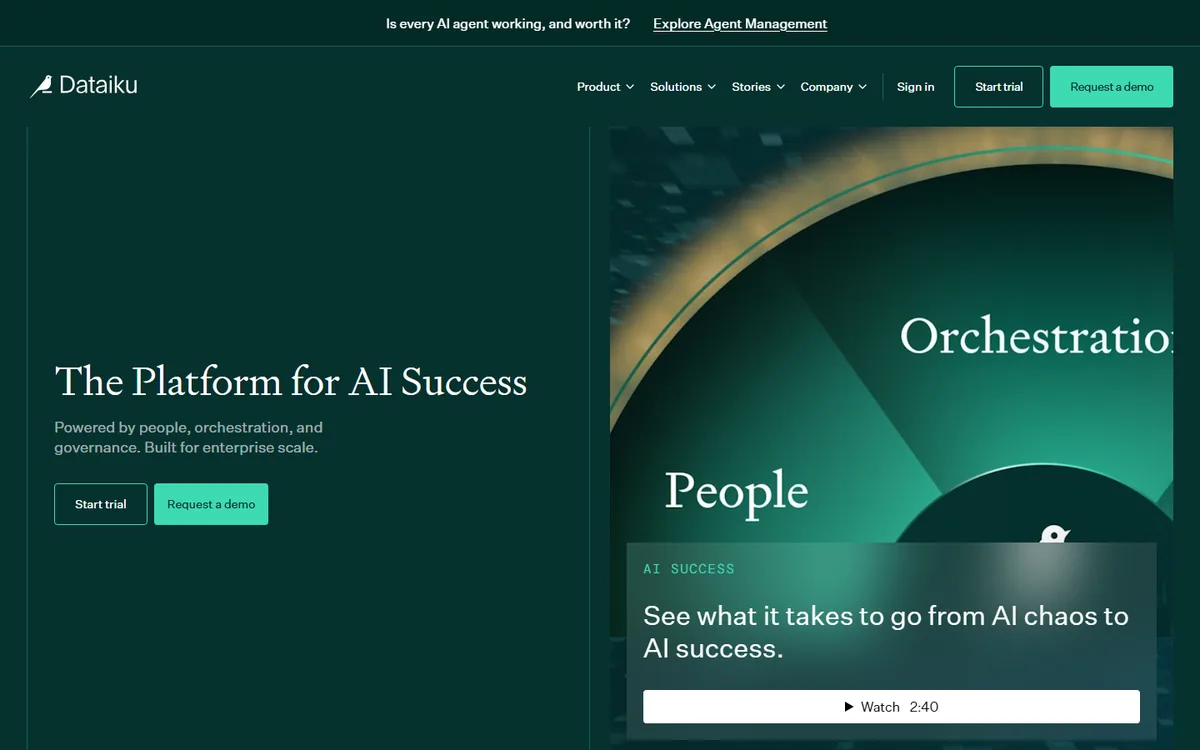
A Shared Workspace Where Analysts Click and Data Scientists Code on the Same Project
Dataiku offers visual data preparation, AutoML, code notebooks, MLOps and governance in a single collaborative environment.
Dataiku works best in organizations where analysts and data scientists need to build on each other's work. An analyst prepares data in a visual flow, a data scientist drops in a Python step and a reviewer can read the whole project as a diagram. That shared view makes handovers less painful than in code-only setups.
Governance is a quiet strength: projects, models and approvals are tracked in one place, which helps in regulated industries. The trade-off is that Dataiku is an enterprise platform, so smaller teams may find it more than they need and the price is negotiated, not listed.
Where Dataiku Shines
- Visual flows make projects readable to non-coders
- Analysts and data scientists share one workspace
- Governance and approvals are built in
Where Dataiku Falls Short
- No public pricing and suits larger budgets
- Some teams find the interface heavy at first
Dataiku Pricing
Dataiku does not publish list prices, so you request a quote. Capterra shows that a free trial is available. Expect enterprise-style licensing that depends on users and deployment, and ask for a clear breakdown of infrastructure costs before you sign.
Dataiku Reviews
- G2: rated 4.4/5 (across +260 ratings)
- Capterra: rated 4.6/5 (across +10 ratings)
Alteryx
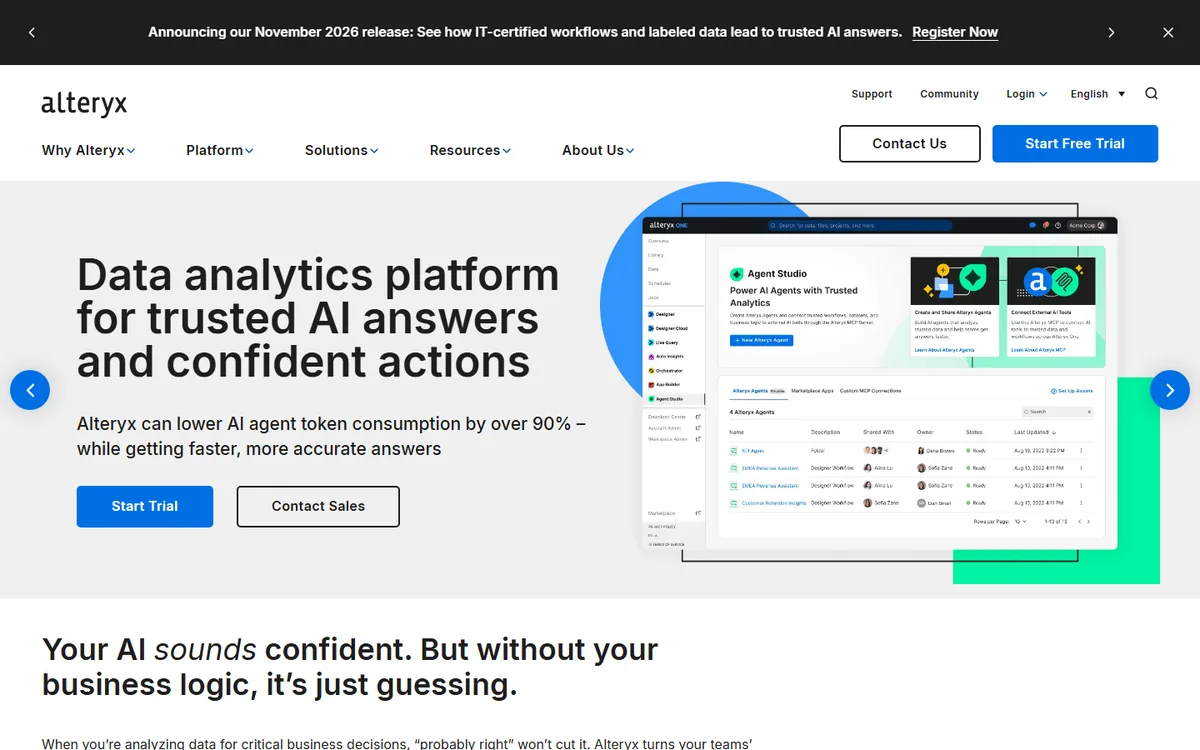
The Most Approachable Way for Analysts to Blend Data and Run Statistical Models Without Writing Code
Alteryx lets analysts build repeatable workflows for data prep, blending and modeling on a drag-and-drop canvas.
Alteryx has a loyal following among finance and operations analysts, and I understand why. A messy monthly spreadsheet process becomes a workflow that runs the same way each time, with predictive and spatial tools available on the same canvas. For analysts who know the business but not Python, it opens up statistics that were out of reach.
The price is the main objection. Seats cost real money, and teams that outgrow desktop workflows may find that cloud warehouses and modeling tools do the same work more cheaply. I usually recommend Alteryx where analysts already live in it, and less often as a new purchase for engineering-led teams.
Where Alteryx Shines
- Drag-and-drop workflows replace fragile spreadsheet routines
- Predictive and spatial tools sit alongside data prep
- Large community and plenty of learning material
Where Alteryx Falls Short
- Licenses are expensive per seat
- Workflows can become hard to maintain at scale
Alteryx Pricing
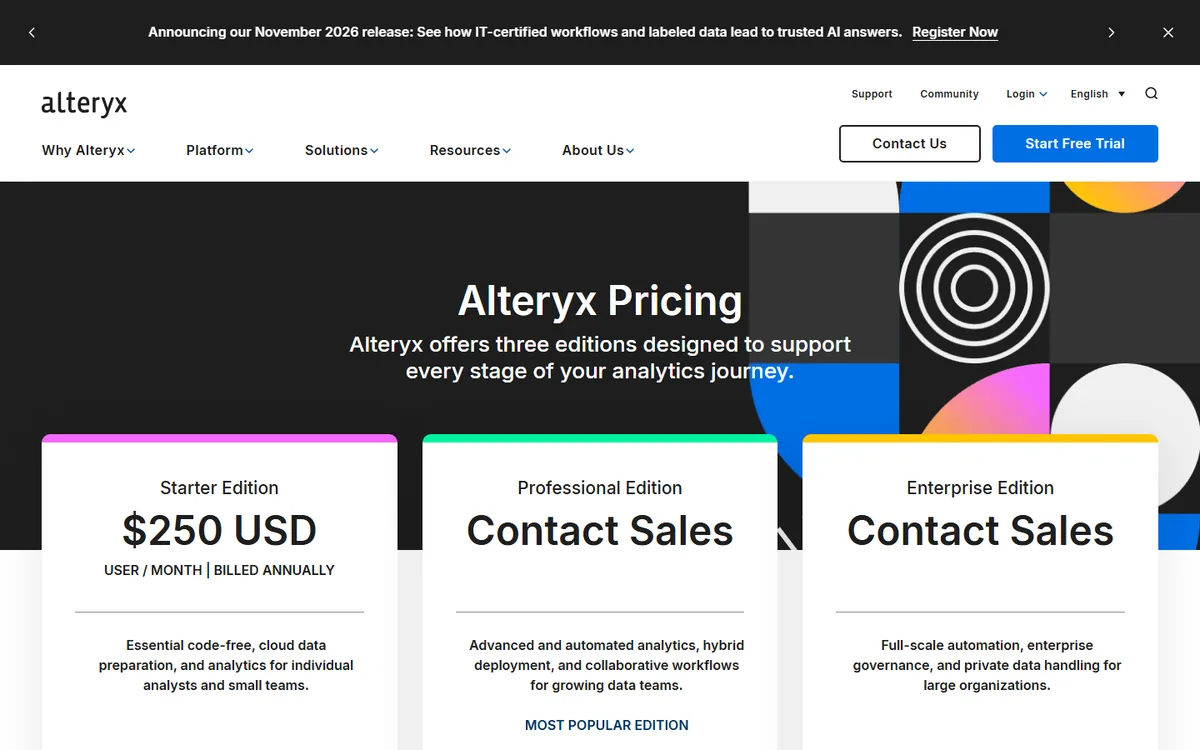
Alteryx lists a Starter edition at $250 per user per month, billed annually, for cloud use with basic prep and code-free analytics. Professional and Enterprise editions are quoted by sales, and the vendor offers a 30-day free trial.
Alteryx Reviews
- G2: rated 4.6/5 (across +960 ratings)
- Capterra: rated 4.8/5 (across +100 ratings)
KNIME
The Best Free Starting Point for Visual Machine Learning Workflows
KNIME Analytics Platform is a free, open-source tool for building data and ML workflows with visual nodes.
KNIME gives you most of what paid visual tools offer without a license fee. You drag nodes onto a canvas to clean data, train models and evaluate them, and you can drop into Python or R when a node doesn't exist. For a team testing whether advanced analytics will pay off, it removes the budget argument at the start.
Collaboration and scheduling come from the paid Hub products, which is where costs appear. The desktop interface also feels more technical than Alteryx, so expect a learning curve for pure business users.
Where KNIME Shines
- The core platform is free and open source
- Huge node library with Python and R integration
- Good fit for teaching and early experiments
Where KNIME Falls Short
- Interface has a steeper learning curve for non-technical users
- Team features and scheduling need paid Hub plans
KNIME Pricing
KNIME Analytics Platform is free and open source. Capterra lists the Community Hub Personal plan at no cost, the Team plan at €99 per month and the Business Hub at €35,000 per year. Check the vendor site for current terms.
KNIME Reviews
- G2: rated 4.5/5 (across +120 ratings)
- Capterra: rated 4.6/5 (across +20 ratings)
DataRobot
A Fast Route from Clean Data to Deployed, Monitored Models for Teams With Limited ML Staff
DataRobot automates model building and comparison, then adds deployment, monitoring and governance.
DataRobot tests many algorithms against your data and ranks them with explanations, which saves days of manual experimenting. Where I find it most useful is in teams that have strong analysts, a few use cases and no dedicated ML engineers, because deployment and monitoring come with the package.
Costs and complexity are the downsides. Capterra reviewers mention high cost and a platform that suits expert users, and sample sizes there are small. If your needs are one or two models, open-source tools plus a good analyst may do the job for less.
Where DataRobot Shines
- AutoML ranks many models with explanations
- Deployment and monitoring are included
- Governance features help in regulated settings
Where DataRobot Falls Short
- High cost, and pricing is not published
- Can be more platform than a small team needs
DataRobot Pricing
DataRobot does not publish prices. Capterra lists a free trial and no starting price, so you need to request a quote. Ask what is included for deployment and monitoring, since those often decide the total.
DataRobot Reviews
- G2: rated 4.4/5 (across +50 ratings)
- Capterra: rated 4.8/5 (across +5 ratings)
SAS Viya
Still the Reference for Rigorous Statistics, Forecasting and Governance in Regulated Industries
SAS Viya is a cloud-native analytics platform covering data management, statistical modeling, machine learning and deployment.
SAS has long been the standard in banking, insurance, pharma and government, and Viya brings that depth to the cloud with open-source integration for Python and R. Statistical procedures, forecasting and model governance are mature and well documented, which matters when a regulator asks how a number was produced.
Reviewers on Capterra praise scalability and governance and complain about the learning curve and licensing costs for smaller teams. Unless you operate in a regulated setting or already own SAS skills, I would shortlist lighter tools first.
Where SAS Viya Shines
- Deep, well-documented statistical and forecasting methods
- Strong governance and auditability
- Scales to large data and runs on major clouds
Where SAS Viya Falls Short
- Licensing is costly for smaller teams
- Steeper learning curve and heavier setup
SAS Viya Pricing
SAS does not publish list prices for Viya, and Capterra shows a free trial with no starting price. Licensing is quoted per deployment, so ask for a written scope that covers users, compute and support.
SAS Viya Reviews
- G2: rated 4.3/5 (across +2,000 ratings)
- Capterra: rated 4.5/5 (across +10 ratings)
IBM SPSS Statistics
The Familiar Choice for Classic Statistical Testing, Surveys and Regression Without Programming
IBM SPSS Statistics provides point-and-click statistical tests, regression, survey analysis and reporting.
SPSS is the tool many analysts learned at university, and it remains a solid choice for hypothesis tests, regression, survey analysis and customer research. Menus and syntax both work, which suits people who need repeatable results without learning a programming language.
It is not built for production pipelines or very large data, so I treat it as an analyst workbench, not a platform. For research and test analysis in a marketing or product team, it can be exactly enough.
Where IBM SPSS Statistics Shines
- Point-and-click menus cover most classic statistics
- Good survey and research tooling
- Widely taught, so skills are easy to find
Where IBM SPSS Statistics Falls Short
- Not designed for production pipelines or very large data
- Interface feels dated compared with newer tools
IBM SPSS Statistics Pricing
Capterra lists IBM SPSS Statistics from $99 per user per month on a subscription basis, with a free trial and no free version. IBM also sells other license types, so confirm the current packages on the vendor site.
IBM SPSS Statistics Reviews
- G2: rated 4.2/5 (across +900 ratings)
- Capterra: rated 4.5/5 (across +640 ratings)
H2O.ai
Open-Source Machine Learning Speed With an Enterprise AutoML Option When You Need It
H2O.ai offers the open-source H2O library, an AutoML capability and commercial platforms for model building and deployment.
H2O started as an open-source machine learning library, and its AutoML function remains a quick way to benchmark many algorithms on tabular data. Data scientists can use it from Python or R and keep control of their code, while the commercial products add a managed environment and deployment features.
Review coverage is thin. Capterra shows only a small number of reviews, and I could not read a G2 rating at the time of writing, so rely on a hands-on test. For teams comfortable with code, the open-source library is an easy way to try AutoML at no cost.
Where H2O.ai Shines
- Open-source library and AutoML are free to try
- Works from Python and R
- Good baseline for tabular prediction tasks
Where H2O.ai Falls Short
- Little review data to judge the commercial products
- Less beginner-friendly than visual tools
H2O.ai Pricing
The open-source H2O library is free. Capterra shows no published price for the commercial products and no free trial, so you request a quote for those.
H2O.ai Reviews
- Capterra: rated 4.6/5 (across 10 ratings)
- G2: rating not available when I checked
Altair AI Studio
A Mature Visual Workbench for Predictive Models That Still Lets You Reach for Code
Altair AI Studio, formerly RapidMiner, is a visual environment for data prep, modeling and validation with scripting options.
Altair AI Studio, which many still call RapidMiner, offers a visual process designer for data prep, modeling and validation. Reviewers on Capterra give it good marks for features and support, and I have seen it work well in training and in small analytics teams that want a guided path to models.
The free version is limited, and pricing needs a sales conversation. Compared with KNIME, you gain polish and support and give up the open-source freedom.
Where Altair AI Studio Shines
- Guided visual design for the full modeling process
- Python and R integration for custom steps
- Good ratings for features and customer service
Where Altair AI Studio Falls Short
- Free version is limited in rows
- No public pricing
Altair AI Studio Pricing
Altair does not publish prices for AI Studio. Capterra lists a free trial and a free version limited in data size, with no starting price. Request a quote for production use.
Altair AI Studio Reviews
- G2: rated 4.6/5 (across +500 ratings)
- Capterra: rated 4.4/5 (across +20 ratings)
Estimate the Return on an Advanced Analytics Tool
Before you pick a plan, check whether the numbers work for you. Enter the manual analyst hours the tool would replace and its monthly price, and you will see what it could return in a year. Remember to add the staff time for setup and maintenance.
Is the Software Worth the Cost?
Move the sliders to match the work you want the tool to cover and the plan you are considering.
How to Choose the Right Advanced Analytics Tool
In my experience, team skills and the first use case decide more than any feature list. Before you compare vendors, I suggest you answer four questions:
- Who will build the models: analysts, data scientists or engineers?
- How much data do you have, and does it live in one place?
- Do you need audit trails and approvals for regulators or customers?
- Which single use case will you test first, and what number defines success?
If your analysts work without code, I usually recommend Alteryx, KNIME or Altair AI Studio. Data science teams with large data fit Databricks and H2O.ai, and mixed teams that need governance fit Dataiku, DataRobot or SAS Viya. For classic testing and survey work, IBM SPSS Statistics is often enough. Whatever you pick, plan its adoption inside a structure such as the advanced analytics framework, schedule it with the advanced analytics roadmap and keep an eye on the shifts in advanced analytics trends.
Questions About Choosing Advanced Analytics Tools
What Is the Best Advanced Analytics Tool for a Small Team?
For most small teams I recommend starting with KNIME or open-source Python, because they cost nothing and teach you what you really need. Move to Alteryx or Databricks once your volumes or governance needs justify the spend.
What Is the Difference Between AutoML Platforms and Notebooks?
AutoML platforms such as DataRobot test many models automatically and add deployment and monitoring. Notebooks give you full control and cost less, but your team builds the workflow. I choose by the skills you have in-house.
Do I Need Databricks or Can I Use a Warehouse?
A cloud warehouse with a notebook environment handles many projects. Databricks pays off when you have very large data, streaming sources or several teams building models on shared tables.
Are Visual Tools Like Alteryx and KNIME Good Enough for Production?
For scheduled, moderate-volume jobs, yes. For high-volume or real-time scoring, code-based pipelines are usually easier to test and version. Many teams prototype visually and put heavy jobs into code.
How Much Does an Advanced Analytics Platform Cost?
It ranges from free open-source tools to enterprise contracts that are quoted per deployment. Only some vendors publish prices, so ask for a written quote that includes compute, users and support before you compare.
Which Tool Is Best for Statistics and Research?
IBM SPSS Statistics and SAS Viya have the longest track record for classic statistics, surveys and regulated reporting. For flexible modeling, Python and R usually give you more.
How Do I Run a Fair Trial?
Pick one real use case with your own data, define the success number up front and give each tool the same dataset and a week of effort. Compare accuracy, time to deploy and maintenance cost.
Disclaimer: Prices, plans and ratings change often. They were checked when this article was last updated, so confirm them on each vendor’s site before you buy. Nothing here is legal or financial advice.
Was this useful?
We appreciate the feedback.
Rosalind Tierney
Rosalind leads the Flume editorial team and works with our consultants to turn real client projects into practical guides on dashboards, tracking, experimentation and machine learning. Before joining Flume, she spent 11 years in analytics and business intelligence roles. She has since edited more than 300 articles on analytics practice and reviewed dashboards, tracking plans and analytics audits from over 100 client projects. She is based in Minneapolis, Minnesota.