In Short
- Data problems, such as leakage, bias and gaps, cause the most technical failures. Check the inputs before the algorithm.
- Most models that fail were accurate. They had no owner, no clear action or no way to reach the people who needed them.
- Every live model needs monitoring, documentation and a second person who can retrain it.
- Compare each model with a simple baseline. If the gap is small, ship the simple version.
Predictive models rarely fail in dramatic ways. They get launched, they produce scores and months later someone asks why the numbers stopped helping. When I run an analytics audit on a struggling model, the cause is usually one of the twelve risks below, and it was visible long before anyone looked.
Each risk comes with how it shows up, what to do and where the checking happens. The first four are technical, the next four sit between the model and the business, and the last four concern how you organize the work. If you are weighing whether to start at all, the predictive analytics pros and cons give you the other side of the ledger.
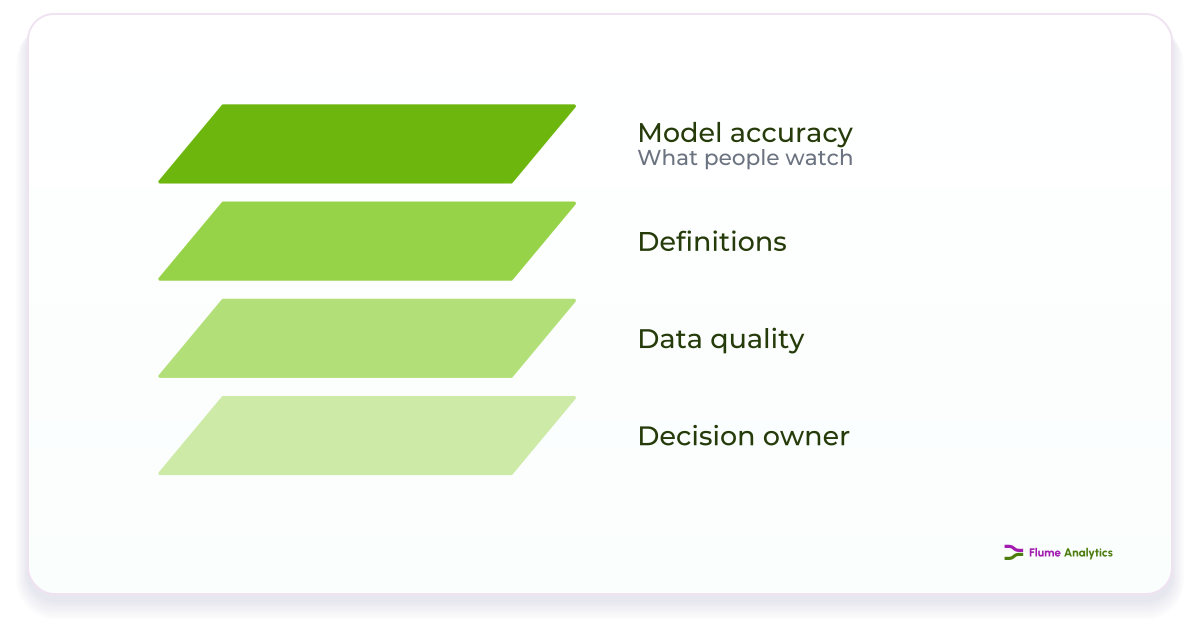
Twelve Risks, Grouped by Where They Bite
| Risk | Where it bites | First warning sign |
|---|---|---|
| Bad or biased data | Training | Odd spikes, empty fields, uneven results by group |
| Data leakage | Training | Accuracy that looks too good to be true |
| Overfitting | Testing | Big gap between training and test scores |
| Decay after launch | Production | Accuracy slips month over month |
| No decision owner | Business | Nobody can say what happens when a score is high |
| Unclear value | Business | No rough number for what a good prediction is worth |
| Black-box scores | Adoption | Users override or ignore scores |
| Privacy gaps | Compliance | Personal fields used without a stated purpose |
| Overbuying tools | Budget | License signed before a first model exists |
| Key-person risk | Team | Only one person can explain the model |
| Weak delivery | Adoption | Scores sit in a table nobody opens |
| Ignoring the baseline | Testing | Complex model barely beats last year's number |
12 Predictive Analytics Risks and How to Handle Each
Training on Bad or Biased Data
A model only learns what your data shows. If the history has duplicates, missing fields or a period that was unusual, such as a stock-out month or a system migration, the model treats it as normal. I once reviewed a churn model whose best predictor turned out to be a field filled in only after a customer cancelled.
Bias works the same way. If past decisions favored some customers, the model will reproduce those choices and look accurate while doing it. Check the data before you look at the algorithm.
What to check before modeling
- Profile every field for gaps, duplicates and odd spikes.
- List what changed in the business during the training window.
- Remove any field recorded after the outcome you are predicting.
- Compare outcomes across customer groups for uneven results.
- Write the findings in a data contract before modeling starts.
Tools that help
Data profiling is possible in SQL, in a notebook or in most workflow tools. Pair it with a short review with the person who owns each source system.
Data Leakage
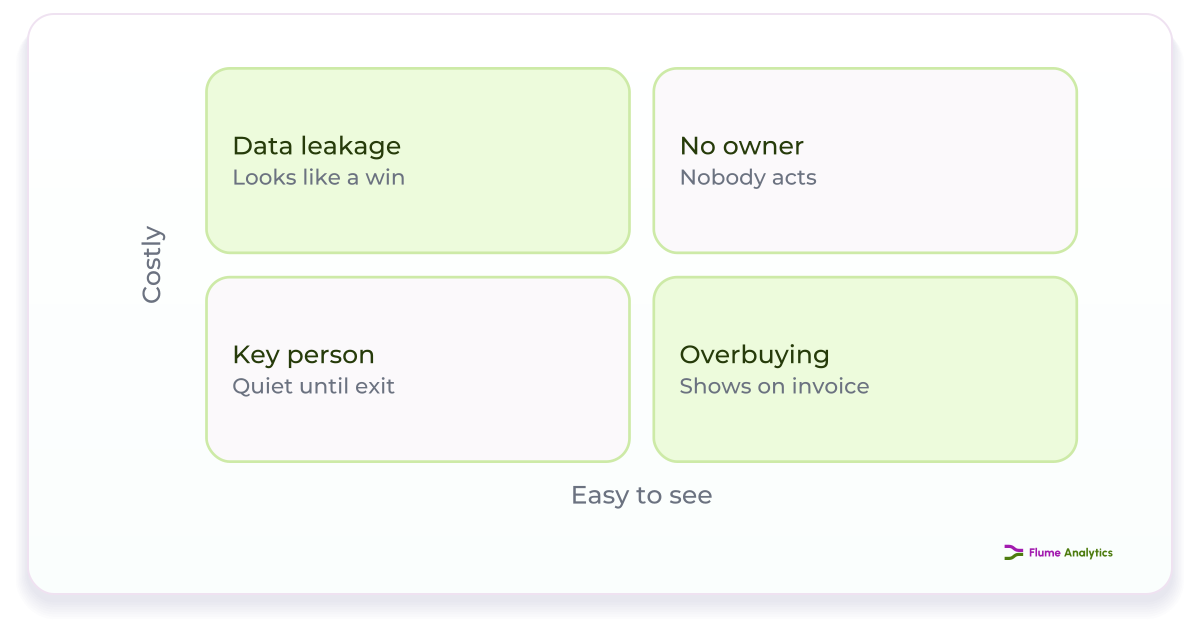
Leakage happens when information from the future slips into the training data. The model scores brilliantly in testing and falls apart in production, because the clue it relied on is not available at prediction time. It is the most common reason a model looks too good to be true.
Suspect it whenever accuracy is far above what a similar team would expect. A near-perfect score on a hard question deserves a hunt for the leak before a celebration.
How to find a leak
- Define the exact moment the prediction will be made.
- Build features only from data available at that moment.
- Split training and test sets by time, not at random.
- Rank features by importance and question the top ones.
- Test on a fresh month of data before launch.
Where the work happens
Most platforms show feature importance, which is the fastest way to spot a suspicious field. A time-based split in any tool exposes the rest.
Overfitting
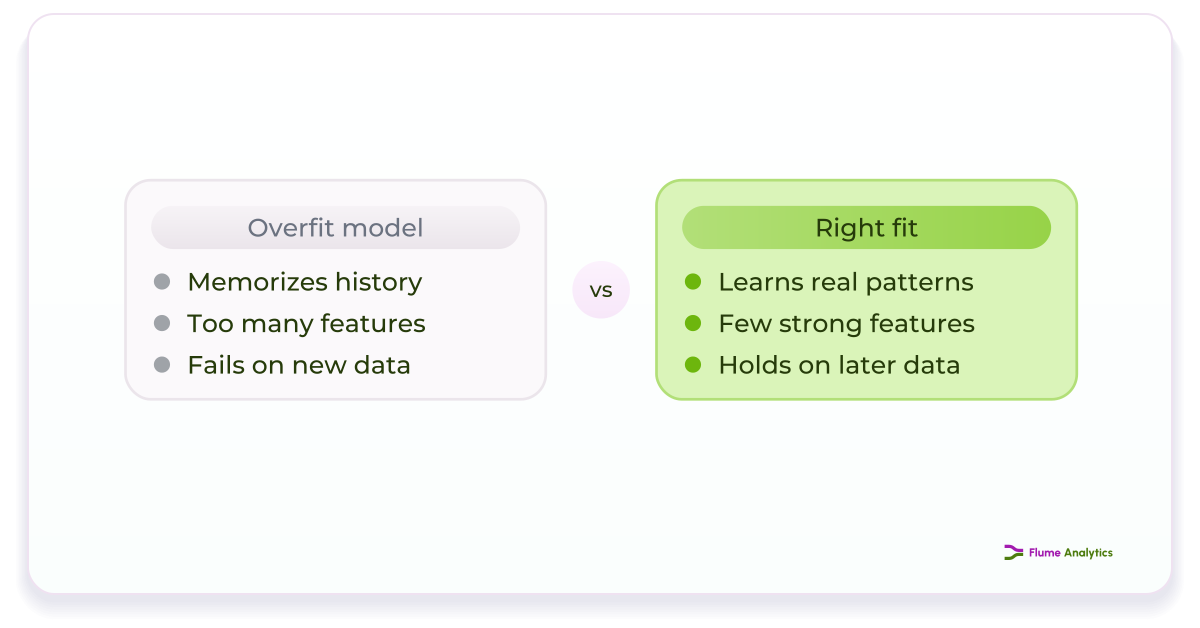
An overfit model memorizes the quirks of its training data instead of learning a pattern that holds. It looks sharp on history and disappoints on new cases. Small datasets and many features make it likelier.
The cure is usually simpler than the problem. Fewer features, a simpler model and honest testing beat clever tuning in most business settings I work on.
Keeping models honest
- Hold out data the model never touches until the end.
- Compare training and test accuracy and treat a wide gap as a warning.
- Start with a simple model and add complexity only if it earns it.
- Cap the number of features relative to the number of examples.
- Repeat the test across several time windows.
What to use
Cross-validation is built into most tools. Pair it with a plain baseline so you can see what the extra complexity buys.
Models That Decay After Launch
Customers change, prices move and tracking breaks. The model keeps producing scores, and the scores slowly stop being true. Nobody notices because the output looks normal.
Decay is not a failure of the model. It is a fact of live data, which is why every production model needs monitoring and a retraining plan.
Monitoring that catches drift
- Log each prediction with its later real outcome.
- Chart accuracy by month and set a floor that triggers a review.
- Watch the input data for drift in averages and missing values.
- Retrain on a schedule, and sooner after major business changes.
- Retire models that no longer earn their upkeep.
Useful starting points
Monitoring features exist in most enterprise platforms, and a simple scheduled SQL query can do the job in a small team.
No Owner for the Decision
A prediction without an owner is a chart. If nobody has the authority and the time to change behavior based on the score, the model has no effect, however accurate it is. I have seen good churn models ignored because customer success had no capacity to call anyone.
Ask who acts on the score, how many cases they can handle and what they will do differently. Those answers define the model's real requirements.
Making sure someone acts
- Name one business owner before building starts.
- Write down the action each score range triggers.
- Check that the team has capacity for the volume of flagged cases.
- Agree a target outcome and a date to review it.
- Pause the project if the owner cannot commit time.
Tools that help
This is a conversation, not a tool. A one-page brief signed by the owner is enough.
Unclear Business Value
Teams sometimes pick a use case because the data is available and the technique is interesting. The model works, and nobody can say what it is worth. Funding ends at the first budget review.
Write the value in rough numbers before you build. If a perfect prediction would change little, you have the wrong use case.
Sizing the value up front
- Estimate how often the decision is made.
- Estimate what a wrong call costs today.
- Estimate the realistic share of that cost the model could remove.
- Subtract run costs, including people time.
- Revisit the estimate after the first month live.
Where the work happens
A spreadsheet is enough for this. My tool ranking includes an ROI calculator if you want a quick check.
Black-Box Scores Nobody Trusts
If users cannot see why an account scored high, they ignore the score or override it. Trust drops fast after one visibly wrong prediction. This is a bigger risk with sales and clinical staff, who have strong instincts of their own.
Show the top two reasons beside each score and let people flag mistakes. Explanations cost little and raise adoption a lot.
Making scores explainable
- Choose models that can explain their main drivers.
- Show reasons in plain words next to each score.
- Let users mark a score as wrong with one click.
- Review flagged cases monthly with the business owner.
- Share early wins with the team to build confidence.
What to use
Many tools offer feature importance or SHAP-style explanations. Plain wording matters as much as the method.
Privacy and Compliance Gaps
Predictive models often use personal data, and rules differ by country, industry and use. A model that infers sensitive traits or drives automated decisions about people can create obligations you did not plan for.
I am not a lawyer, and the right answer depends on your situation. Ask your legal advisers early, and check current requirements before launch rather than after.
Early privacy checks
- List every personal data field the model uses.
- Remove fields you cannot justify.
- Document the purpose and the people who can see the data.
- Ask your legal team about automated decisions in your market.
- Keep access logs for training data and scores.
Useful starting points
Your legal and security teams own the rules. Analytics can supply the data inventory that they need.
Overbuying Tools Too Early
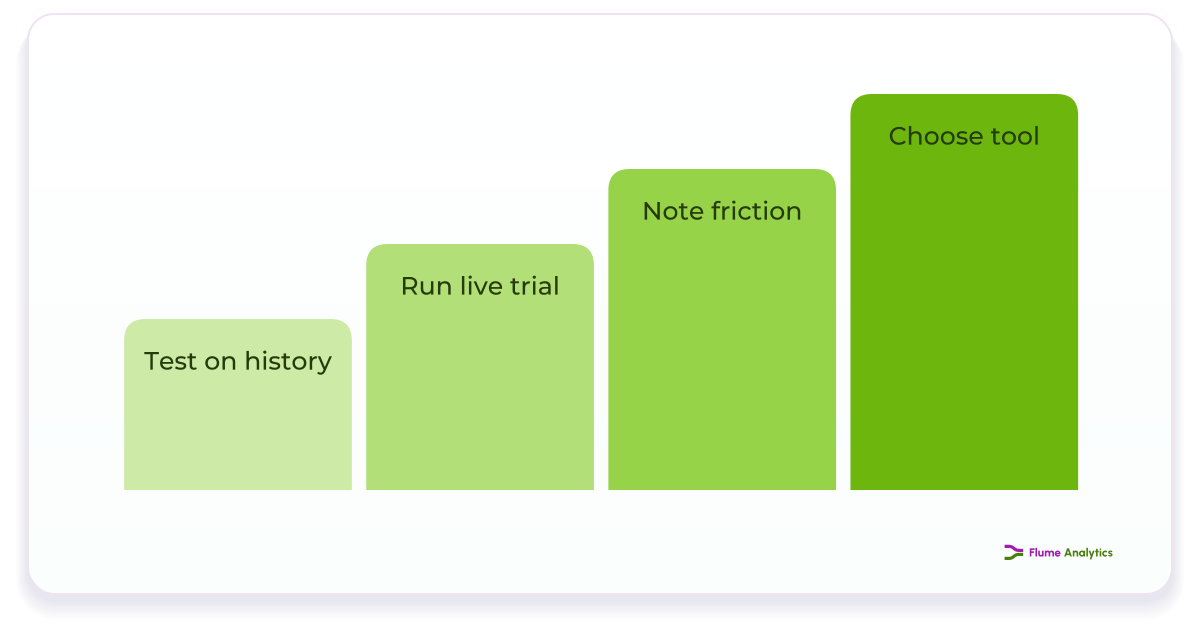
A platform license can swallow the budget before one useful model exists. Many first projects run well in the warehouse and notebooks you already have.
Prove one use case first. Then you can choose a tool based on real friction, not a demo.
Choosing tools after the pilot
- Run the first model with tools you already own.
- Write down what slowed you down.
- Match those problems against platform features.
- Pilot two options on your own data.
- Choose, then negotiate.
Tools that help
My ranked list of predictive analytics tools covers the main options, including free tiers.
Key-Person Dependency
One data scientist builds the model and keeps all the knowledge in their head. When they leave or move teams, nobody can fix, retrain or explain it. The model then ages until someone switches it off.
Documentation and a second pair of eyes are cheap insurance compared with a rebuild.
Reducing single points of failure
- Write a model card with purpose, data, accuracy and owner.
- Keep code and settings in version control.
- Pair a second person on every live model.
- Test that someone else can retrain it from scratch.
- Review the documentation at each quarterly check.
Where the work happens
Version control and a shared wiki are enough. A template for model cards saves time.
Weak Delivery Into Daily Work
Many models stop at a database table. Users have to log in somewhere new to see scores, and they do not. Adoption stays low and the project looks like a failure.
Decide where the score appears before you build, and test that placement with real users.
Getting scores to where people work
- Choose the destination: CRM field, report, alert or dashboard.
- Mock it up and show it to three users.
- Automate the delivery and set an alert for failures.
- Track how often scores are opened or used.
- Adjust the format based on that feedback.
What to use
Most CRMs and BI tools accept scores through a standard integration or a scheduled sync.
Ignoring the Simple Baseline
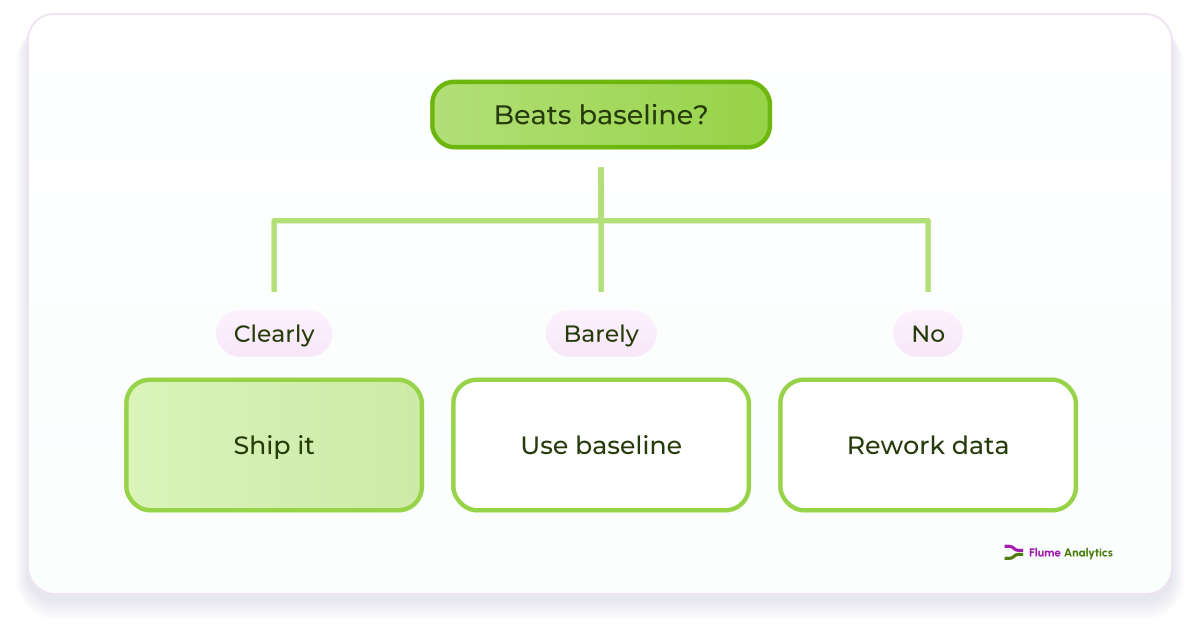
A complex model feels like progress. If a plain average or last year's number is nearly as accurate, the complexity adds cost and risk for little return.
Always report the baseline next to the model result. If the gap is small, ship the simple version.
Comparing against something simple
- Define a baseline before modeling: last period, average or a rule.
- Score it on the same test data as the model.
- Report both numbers to the business owner.
- Require a clear margin before choosing the complex model.
- Keep the baseline running as a check on the model.
Useful starting points
A spreadsheet formula can serve as the baseline in almost any project.
A Pre-Launch Risk Check You Can Run in an Afternoon
Before any model goes live, I walk through these questions with the business owner and the person who built it. If you cannot answer one, fix it first. The right predictive analytics framework turns these questions into standing rules, so you do not rely on memory.
- Could every input be known at the moment of prediction?
- Does the model beat a simple baseline on data from a later period?
- Who acts on the score, and what do they do differently?
- Where does the score appear, and have real users seen it?
- Who checks accuracy every month, and what number triggers a retrain?
- Can a second person explain and retrain the model?
- Has legal reviewed the personal data being used?
Seven yes answers do not guarantee success. They remove the failures I see most often and shorten the delays that follow. For the sequence of work once the checks pass, my guide to predictive analytics implementation shows how I plan it, and the predictive analytics tools ranking helps when you pick the platform.
Small teams face the same risks with fewer people to absorb them. If that sounds like you, see my notes on predictive analytics for small business.
Questions About Predictive Analytics Risks
What Is the Biggest Risk in Predictive Analytics?
In my experience it is building a model nobody uses. Technical errors such as leakage and overfitting get most of the attention, and they are fixable. A model with no owner, no clear action and no delivery path wastes the whole project, however accurate it is.
How Do I Know If My Model Suffers from Data Leakage?
The warning sign is accuracy that is far better than seems plausible, which then collapses in production. Check which features rank highest, ask whether each would be known at prediction time and re-test on a later time period. If a field appears only after the outcome, it has to go.
How Often Should I Retrain a Predictive Model?
It depends on how fast the underlying behavior changes. Many business models are retrained monthly or quarterly, and fast-moving ones more often. Rather than guess, monitor accuracy and input drift, and retrain when either crosses a limit, and after any major change in pricing, tracking or product.
Are Predictive Models Biased?
They can be. A model learns from past decisions and past data, so it can repeat unfair patterns in them. Compare results across customer groups, remove fields that act as stand-ins for sensitive traits and keep a person in the loop for decisions that affect people. Ask your legal advisers about rules in your market.
Can a Small Business Manage These Risks?
Yes, and the main defenses are free: a time-based test, a plain baseline, a named owner and a monthly accuracy check. You do not need an enterprise platform to do any of them. Start with one model, keep the scope small and write down what you learn.
How Do I Explain a Model's Prediction to Non-Technical Colleagues?
Show the two or three biggest reasons behind each score in plain language, such as usage falling 40 percent in 30 days. Skip probabilities and technical terms in the first conversation. Add a feedback button, so colleagues can say when a score looks wrong, and use their notes to improve the model.
When Should I Stop a Predictive Analytics Project?
Stop when the baseline is nearly as good, when nobody can name an action the score would change or when data quality blocks progress and cannot be fixed soon. Stopping early is a good outcome, since it frees budget for a better use case. Write down what you learned so the next attempt starts further ahead.
Important: nothing in this article is legal, financial or tax advice. All figures are estimates from typical projects, so verify them with your own providers and advisers.
Was this useful?
We appreciate the feedback.
Rosalind Tierney
Rosalind leads the Flume editorial team and works with our consultants to turn real client projects into practical guides on dashboards, tracking, experimentation and machine learning. Before joining Flume, she spent 11 years in analytics and business intelligence roles. She has since edited more than 300 articles on analytics practice and reviewed dashboards, tracking plans and analytics audits from over 100 client projects. She is based in Minneapolis, Minnesota.